Medicine - Admin Settings
Medicine Structure
We can use the Medicine Structure to customize our menus and group areas of information.This can be useful for defining where medical supplies are located on board.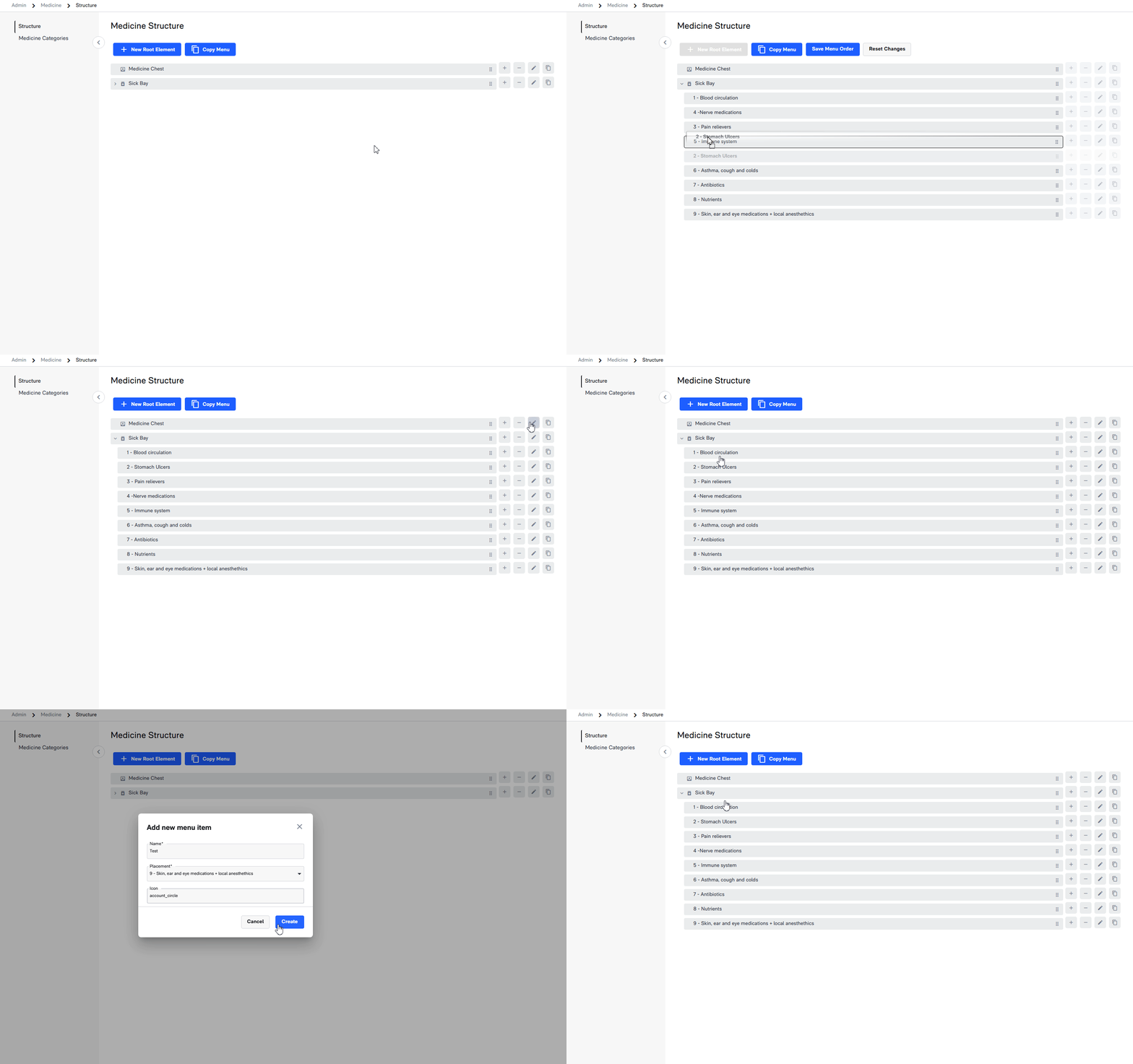
We can use the Medicine Structure to customize our menus and group areas of information.
This can be useful for defining where medical supplies are located on board.
Medicine Categories
We can assign Medicine Categories to our medicines to easily identify which group a medication belongs to.This provides better sorting options and makes it easier to search the medical inventory.
We can assign Medicine Categories to our medicines to easily identify which group a medication belongs to.
This provides better sorting options and makes it easier to search the medical inventory.
Related Articles
Medicine
Overview The table overview in the Medicine Module presents a pre-defined structured display of all medicinal items. It includes columns specifying attributes like medicine categories, medicine names, quantities, expiration dates and more. This ...Storage - Admin Settings
Storage Structure We can rearrange add or delete menu items for the module by adjusting the Storage Structure found in the Admin settings. Storage Categories Storage Categories are essentiallty nameplates we can use for sorting items based on our own ...ℹ️ Introduction to Admin Settings
The Admin Settings section is designed to configure the structures, accesses, and settings for each module available.Documents Module – Admin settings
How to create Document Structures and adding Menu Items. 1. Introduction The way in which we organize documents in CCOMX is by first creating a Document Structure in the Admin settings of the Documents Module, that are later accessed by the regular ...Maintenance Module - Admin settings
1 Introduction 1.1 Purpose The system's maintenance module must be configured correctly before it can be used effectively. Within the “Maintenance” section, the user must populate several menus with correct data. These menus are: Job Types Components ...